For parents
Soccer season, minus the paperwork
If your league runs on LeagueMgmt, here's what changes for you. (Short version: registration takes five minutes and you always know where the game is.)


- 1
Register in minutes, from your phone
Your league sends you a link. You fill in your player's details, sign the waiver right on screen, and pay by card. No printing, no cheques in a kid's backpack, no showing up to a sign-up night.
- 2
Everything for the season in one place
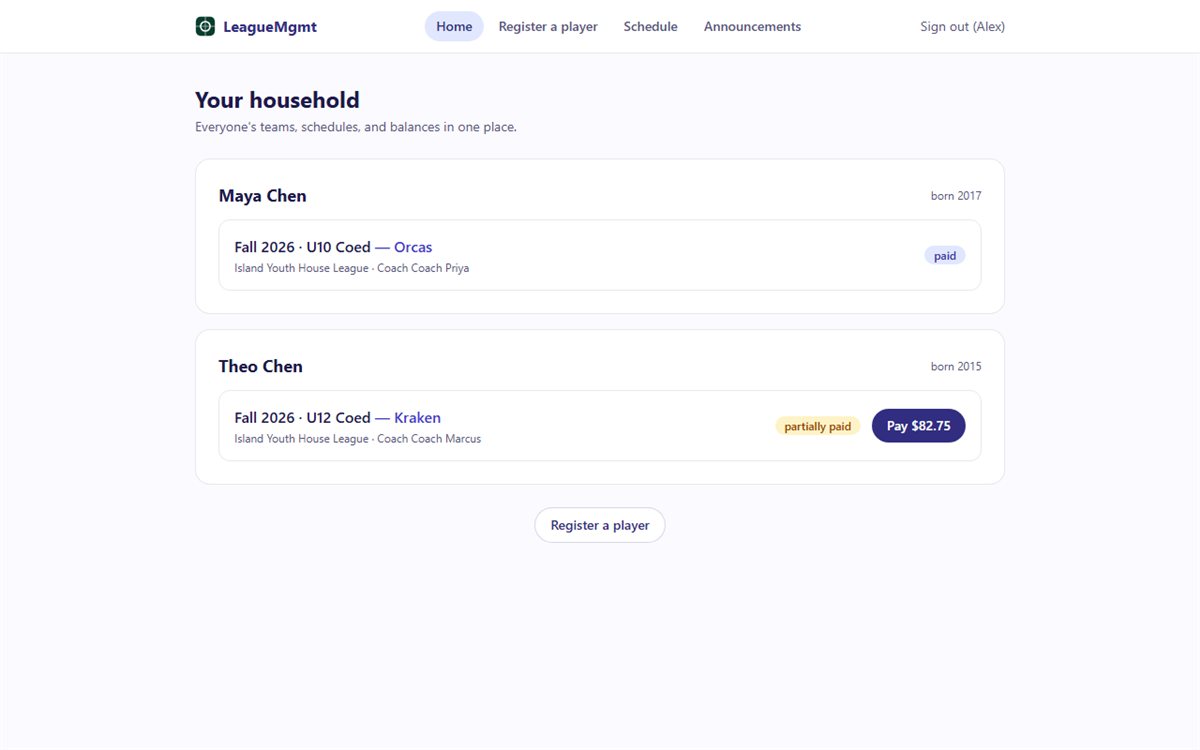
Once teams are set, you see your kid's team, coach, schedule, and field locations in one view. Multiple kids in the league? One login shows the whole household — every game, every balance, every announcement.
- 3
RSVP so coaches can plan
Making it to Saturday's game or not, it's one tap. Coaches see who's coming, and you stop getting the group-text roll call.
- 4
News that actually reaches you
Field closed for rain? Schedule change? You get an email (and a push notification on the app) the moment your league sends it — scoped to your kid's team, so it's never noise about divisions you don't care about.
The fine-print questions
Your payment is secure
Payments run through Stripe, the same processor behind millions of businesses. Your league never sees or stores your card number, and neither do we.
Your family's data is protected
We collect only what your league needs to run the season, we never sell or share it, and our privacy policy is written in plain English — including how we handle Canadian privacy law.
Receipts without asking
Every payment emails you a receipt automatically. Tax time, reimbursements, 'did I already pay?' — it's all in your inbox and your portal.
On a league board and evaluating LeagueMgmt? This page is written for the parents you answer to — forward it along with our privacy policy.